Rabbi Keynote Template: Professional Presentations Made Simple
Creating a presentation that captures attention and communicates clearly is something almost everyone needs at some point. Whether you are pitching a new idea, reporting on quarterly results, or teaching a class, the tools you use matter. The Rabbi Keynote Template offers a practical approach to building presentations that look polished without requiring hours of design work. This template is built for Keynote and gives you a solid foundation to work from, so you can focus on your message rather than getting distracted by formatting details.
What Makes the Rabbi Keynote Template Different
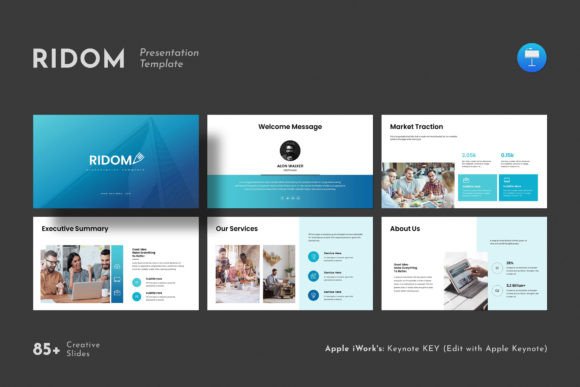
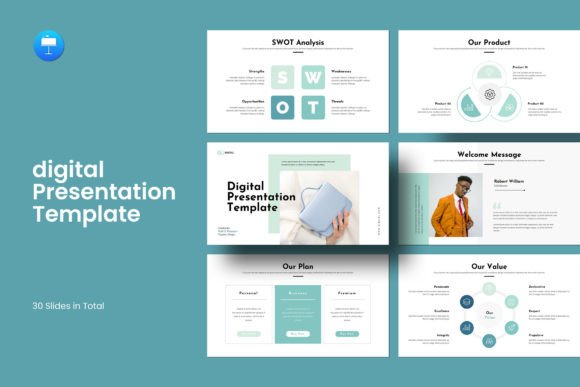
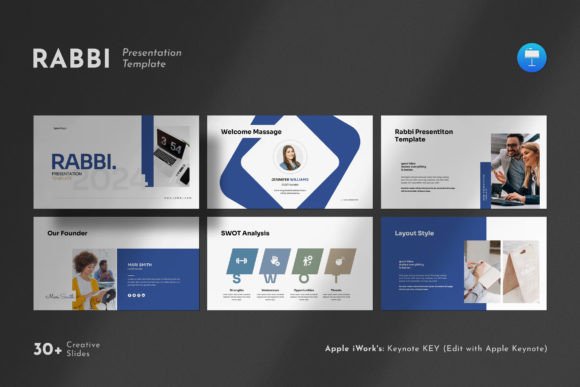
Many presentation templates look flashy at first glance but become difficult to use once you start customizing them. The Rabbi Keynote Template avoids that problem by combining a clean, contemporary design with practical flexibility. It includes 30 slides in total, all based on master slides, which means you can make changes to one slide and have those changes apply across your entire presentation if you wish. This saves real time, especially when you are working under a deadline and need consistent branding throughout.
The template works on both Apple and Windows systems, so you are not locked into a single platform. The slides use a 16:9 full HD ratio at 1920x1080 pixels, which is the standard for most modern screens and projectors. You will not need to worry about awkward cropping or resolution issues when presenting on different devices.
Practical Features That Support Your Workflow
One of the most helpful aspects of the Rabbi Keynote Template is how easy it is to change images. The drag-and-drop functionality means you can replace placeholder photos with your own visuals in seconds. This is especially useful for entrepreneurs and small business owners who may not have a dedicated design team but still need their presentations to look professional.
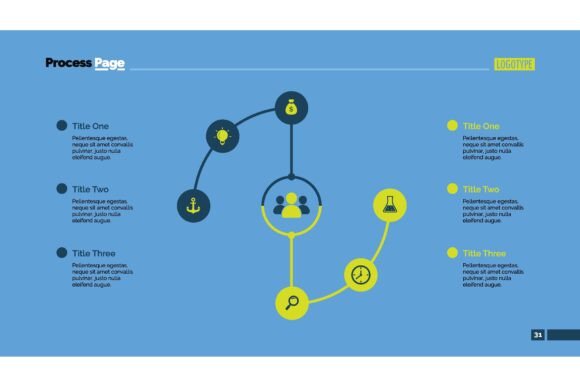
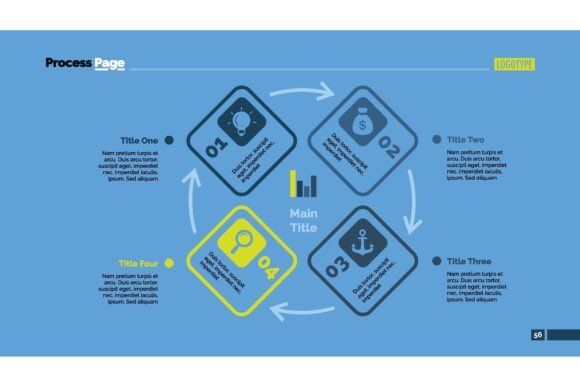
The template includes several built-in content types that go beyond simple text slides. You will find creative photo layouts, infographics, tables, vector icons, and diagrams. These elements give you ways to present data and ideas visually, which can make your points easier to understand and remember. For example, if you are presenting market research, you can use the infographic layouts to show trends without overwhelming your audience with raw numbers. If you are explaining a process, the diagrams let you break it down step by step.
All graphics in the template are resizable and editable. This is important because it means you can adjust elements to fit your specific content rather than forcing your content into preset shapes. Vector icons remain crisp at any size, so you can scale them up or down without losing quality.
Who Benefits Most From This Template
Professionals of all kinds can find value in the Rabbi Keynote Template, but certain groups will likely get the most out of it. Marketers and bloggers often need to create presentations for webinars, client pitches, or internal reports. Having a template that includes multiple visual formats helps them keep their audience engaged across different types of content within the same presentation.
Educators and freelancers also stand to benefit. If you teach workshops or training sessions, the ability to quickly swap images and adjust text means you can repurpose the same template for different topics. Freelancers who pitch their services to multiple clients can use the template to create a consistent brand experience without starting from scratch each time.
Small business owners and publishers may appreciate the template for company profiles or portfolio presentations. The design is clean and contemporary, which helps convey professionalism without feeling overly corporate or stiff. It strikes a balance that works well for both internal and external audiences.
Hobbyists and creators who occasionally present their work will also find the template approachable. You do not need to be a skilled designer to get good results. The master slides guide you, and the editable elements let you add your own touch without the risk of breaking the layout.
Using the Template for Different Presentation Goals
The way you use the Rabbi Keynote Template will naturally vary based on your goals. For a company profile or about-us presentation, the photo layouts and vector icons help you tell your story visually. You can show your team, your workspace, or your products in a way that feels natural and not overly staged.
If you are preparing a data-heavy report, the tables and infographics become your best tools. Instead of showing a wall of numbers, you can present key figures in a way that highlights trends and takeaways. This helps your audience grasp the important points quickly, which is especially useful when you have limited time to present.
For creative pitches or project proposals, the contemporary design gives you room to be bold without looking messy. The layouts are structured enough to guide the viewer's eye but flexible enough to accommodate your unique content. You can use the diagrams to show timelines, workflows, or relationships between ideas.
Considerations Before You Start
No template is perfect for every situation, and the Rabbi Keynote Template has a few points worth noting. The demo images used in the previews are not included in the download. This is standard practice, but it means you will need to supply your own photos or source them separately. If you do not have a library of professional images ready, you may need to allocate some time to find visuals that fit your topic.
The template uses a free font, and the link to download it is provided in the help file. This is straightforward, but you should plan for a few extra minutes to install the font if you do not already have it. Once installed, everything should work smoothly, and the font will render correctly across both Apple and Windows systems.
If you are someone who prefers working entirely from scratch and likes building every element yourself, a template like this may feel restrictive. However, for most people, having a structured starting point saves time and reduces the chance of inconsistent design choices.
Support and Practical Help
One aspect that adds real value is the support included with the Rabbi Keynote Template. The designers provide free real support, which means if you run into an issue or have a question about customizing something, you can reach out and get help from someone who knows the template well. For users who are not experienced with Keynote or presentation design, this support can make the difference between a frustrating experience and a smooth one.
The template also comes with a PDF that contains more details about features and usage. Reading through it before you start can save you time and help you understand the full range of what the template offers. The help file also includes the font link and any other resources you might need.
Making the Most of Your Presentation Workflow
A good template is not just about how the slides look. It is about how the tool fits into your overall workflow. The Rabbi Keynote Template is designed to be edited quickly. Because the slides are based on master slides, you can update colors, fonts, and layouts across the entire presentation in one place. This is especially helpful if you are creating multiple presentations for different clients or projects and need to maintain a consistent look.
The drag-and-drop image replacement also speeds things up. Instead of manually resizing and positioning every photo, you simply drop your image into the placeholder, and the template handles the alignment. This frees you to spend more time on your content and less time on technical adjustments.
For teams, this template can also serve as a starting point for a shared brand guideline. If multiple people in your organization create presentations, using the same template ensures consistency. Everyone does not need to be a designer to produce slides that look like they belong together.
Final Thoughts on the Rabbi Keynote Template
Presentations remain a core way we share ideas, persuade others, and communicate complex information. Having a reliable template that balances design quality with practical ease of use is a real advantage. The Rabbi Keynote Template delivers that balance by offering a clean, contemporary look with features that support real-world presentation needs.
Whether you are a marketer preparing a campaign pitch, an educator building a workshop deck, or a small business owner presenting your company profile, this template gives you a solid framework. The 30 slides, infographics, tables, vector icons, and diagrams provide enough variety to cover most presentation scenarios. The ability to work on both Apple and Windows, along with free support, makes it a practical choice for professionals who want to present their work with confidence.
If you value efficiency and want to spend less time on layout and more time on your message, the Rabbi Keynote Template is worth considering. It does not promise to do the work for you, but it does make the process smoother and the results more professional.